Your item has been added to your cart!

You might need these specific products to be able to use the placeholder only.

Compatible products you may need

No compatible product

MIRO ALTITUDE

P/N 205516B

Touchscreen display device for power & energy measurement. Single-channel.

MIRO ALTITUDE MIRO ALTITUDE MIRO ALTITUDE MIRO ALTITUDE MIRO ALTITUDE MIRO ALTITUDE MIRO ALTITUDE MIRO ALTITUDE MIRO ALTITUDE MIRO ALTITUDE MIRO ALTITUDE MIRO ALTITUDE MIRO ALTITUDE MIRO ALTITUDE MIRO ALTITUDE MIRO ALTITUDE MIRO ALTITUDE MIRO ALTITUDE MIRO ALTITUDE MIRO ALTITUDE MIRO ALTITUDE MIRO ALTITUDE MIRO ALTITUDE MIRO ALTITUDE MIRO ALTITUDE MIRO ALTITUDE MIRO ALTITUDE MIRO ALTITUDE MIRO ALTITUDE MIRO ALTITUDE MIRO ALTITUDE MIRO ALTITUDE MIRO ALTITUDE MIRO ALTITUDE MIRO ALTITUDE MIRO ALTITUDE

可追溯校准
Logo nist

Product family key features

NEW: MIRADOR a New companion software is available

With the latest MIRO ALTITUDE firmware update (v1.02.02), MIRADOR software is now available.

  • Remote control of MIRO ALTITUDE from a PC
  • Data logging directly to Excel files or CSV format

NEW: Multiple Languages Available on MIRO ALTITUDE

MIRO ALTITUDE’s user interface is fully translated in English, French, and Chinese

A screen designed for professional use

10” high-resolution, anti-glare touchscreen, just like one would expect nowadays for a professional work tool.

A user interface that won’t leave you searching around

With its modern and intuitive user interface, MIRO ALTITUDE is so simple to use that it is literally plug-and-play. It was designed to take full advantage of its larger-than-life screen so you can see at a glance all that matters to your measurement at all times.

Super strong and durable

Remarkably strong and durable metal casing that you won’t be afraid to break in the field or during transportation.

Connectivity possibilities

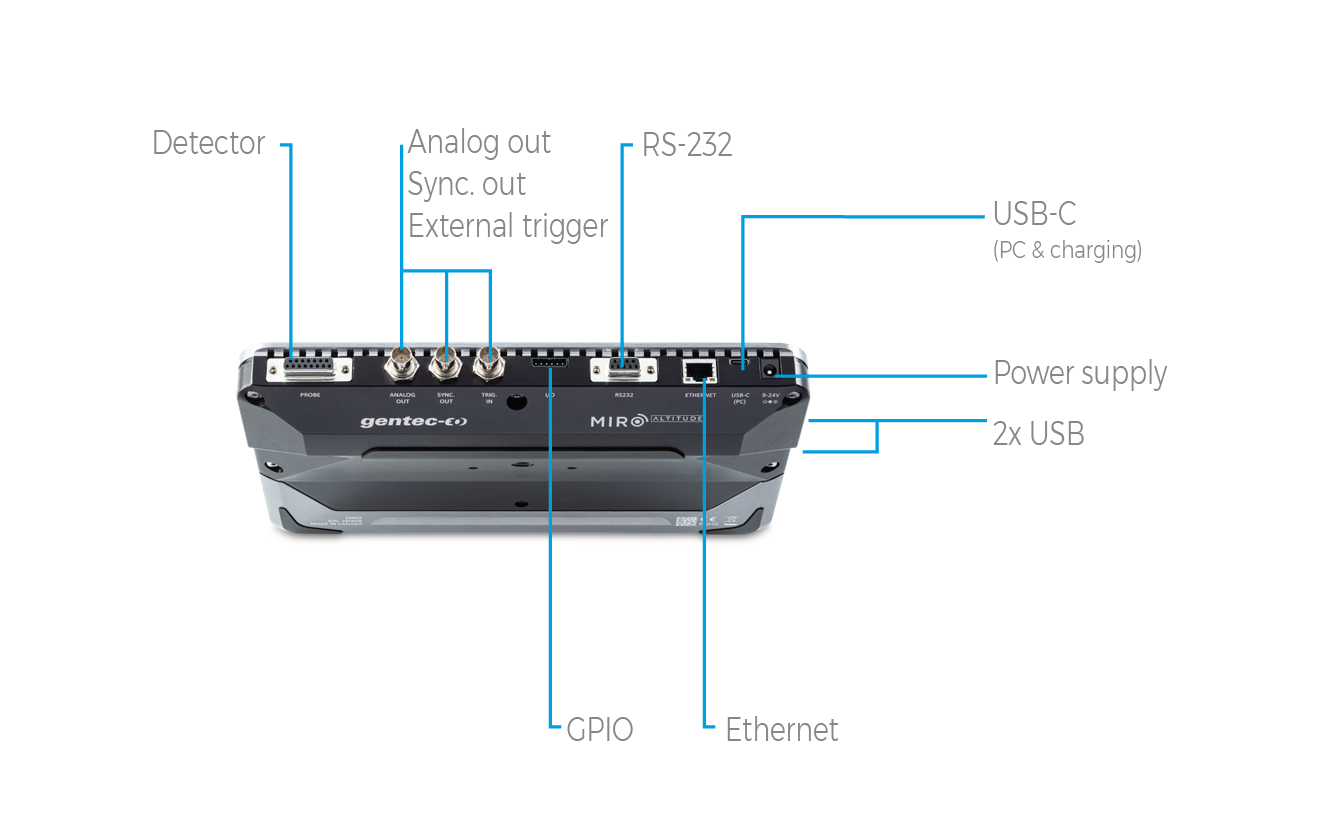
Support for analog output and external trigger, as well as USB keys to log data.

Command-based serial communication for automation

Convenient ways to use it

  • Tabletop
  • On a stand
  • Handheld

Display modes for all use cases

MIRO ALTITUDE has 3 display modes, including one that lets you time-travel to check past data points without interrupting the current measurement session, and another mode with extra large size digits that you can view from across the room.

Featuring XNR AnticipationTM

Measure up to 10x faster (detector-dependant) with XNR AnticipationTM, which is probably the fastest measuring capability ever brought to a measurement instrument in this industry.

Built-in data viewer

View a recorded measurement session directly on your MIRO ALTITUDE.

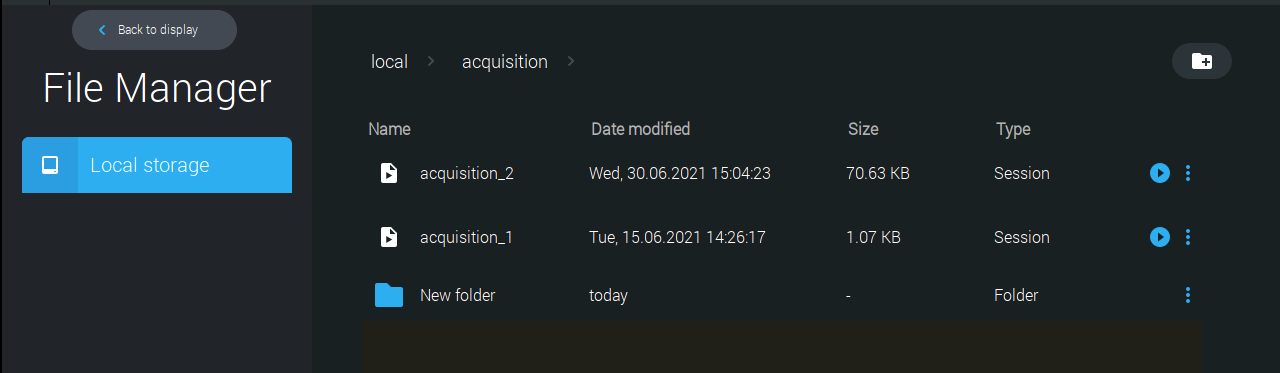
Built-in file manager

Save and organize your recorded measurement sessions and screenshots or move your files to your USB stick.

Reads most heads

MIRO ALTITUDE is compatible with almost all Gentec-EO power and energy detectors with the standard DB15 output.

  • Power detectors: XLP, UP and PH series
  • Energy detectors: QE series*, UP and XLP series in energy mode

*Including QE8 detectors

Detector compatibility

Compatible stand

包括

  • MON-USB-C-A MON-USB-C-A

    USB cable for MIRO ALTITUDE.

  • MIROA-SLEEVE MIROA-SLEEVE

    Carrying sleeve for MIRO ALTITUDE.

  • MON-12V MON-12V

    Power supply, 12 V, for MIRO ALTITUDE.

  • Calibration certificate

  • MIRO ALTITUDE transport box

Controller and GUI specifications

  • Digital display size

    217 x 136 mm LCD - 1280 x 800 pixels
  • Data display

    Real time, scope, statistics, digital tuning needle and averaging
  • Analog output

    Coming soon
  • External trigger

    3.3 to 24 V
  • Serial commands via

    USB-C or RS-232 (coming soon)
  • Data storage via

    Internal memory or USB key
  • Battery type

    Rechargeable Li-ion cell
  • Battery life

    6 hours
  • External power supply

    9-24 VDC 3.33 A, USB-C (min 18 W)

Power meter specifications

  • Device accuracy

    0.5 % ±3 µV for 20 % to full scale
  • Statistics

    Current value, max, min, average, standard deviation, RMS & PTP stability, time
  • Response time

    Current value, max, min, average, standard deviation, RMS & PTP stability, time

Energy meter specifications

  • Device accuracy

    1 % ±50 µV (<500 Hz)
    2% ±50 µV (500 Hz - 10 kHz)
  • Software trigger level

    0.1 to 99.9 %, 0.1 % resolution, default 2 %
  • Repetition rate1

    10 kHz
  • Statistics

    Current value, max, min, average, standard deviation, RMS & PTP stability, pulse #, repetition rate and average power
    • 1. Maximum repetition rate may vary with PC and detector speeds.

Physical characteristics

  • Dimensions

    268W x 196H x 36D mm
  • Weight

    1.36 kg

MIRADOR:适用于 MIRO ALTITUDE 的强大软件

MIRADOR 是 Gentec-EO 推出的全新软件,旨在扩展 MIRO ALTITUDE 的功能,并简化激光测量的监控、控制和数据记录。

该软件以易用性为核心设计,使激光制造商、系统集成商和激光用户能够以更高的灵活性和效率对数据进行监控、控制和记录。通过类似 MIRO ALTITUDE 的桌面界面、直观的操作导航、对所有测量参数的全面访问、远程控制功能,以及可下载为 Excel 或 CSV 格式的灵活数据记录方式,全面提升工作效率。

借助 MIRADOR,将 MIRO ALTITUDE 带入现代化的激光测量世界。
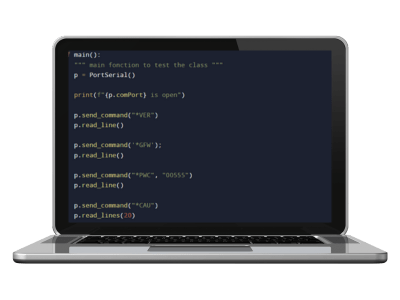
利用串行命令

使用我们的串行命令直接与仪表通信,而无需使用 Gentec-EO 的软件。为此,您可以使用 PuTTY 等终端模拟器软件,也可以直接将它们集成到自己的软件中。仪表的所有基本功能都由一个指令来实现。关于所有可用指令的列表,请参阅仪表的用户手册。
优势:

  • 构建您自己的专属软件
  • 满足您独特的激光应用要求
  • 自动进行测量

All-new MIRO ALTITUDE: Supercharged professional display device for power and energy measurement

MIRO ALTITUDE is Gentec-EO’s new flagship meter for reading your laser power and energy measurements.

More than an evolution from our current product line, we see it as a revolution in the laser beam measurement industry that helps engineers and service technicians increase their productivity thanks to numerous new features in both hardware and software.

Supercharge your productivity with an intuitive user interface, an extra large screen, tons of connectivity possibilities, 3 convenient display modes, a built-in dataviewer and a built-in file manager.

Enter modern times of laser beam measurement with MIRO ALTITUDE.

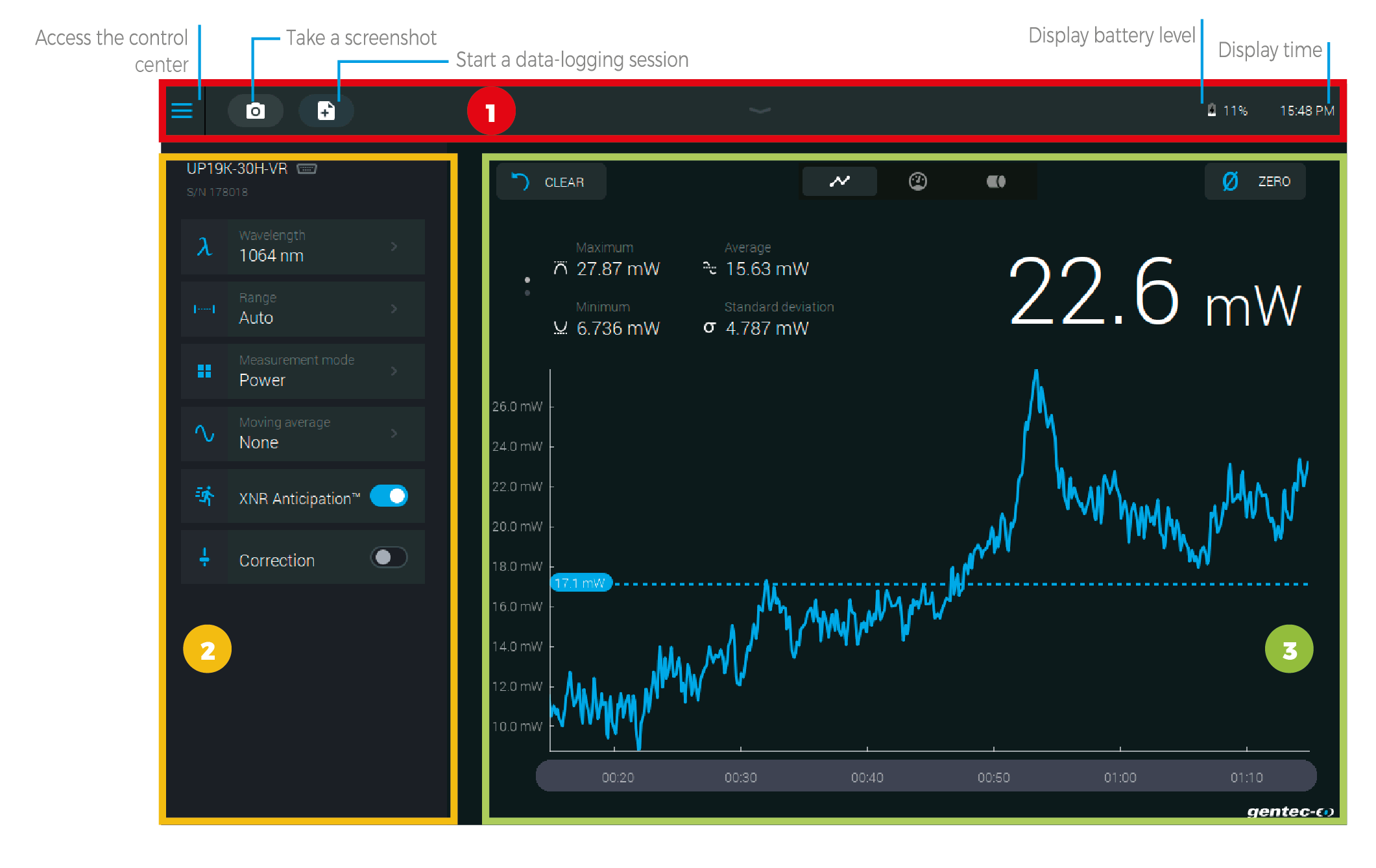
MIRO ALTITUDE user interface tour

1 - NAVIGATION BAR

The upper part of the screen includes a direct access to the control center, data acquisition buttons and various indicators (battery level and time).

2 - MEASUREMENT SETTINGS PANEL

Use the various measurement settings available for your detector to set everything related to your measurement.

Wavelength: Enter your wavelength or choose from a list of recently used wavelengths

Range: Set the measuring range to autoscale or to one of the standard values

Measurement mode: Choose what you want to measure: power, SSE, moving average, etc.

Moving average: Choose the desired moving average to use to plot the chart

Trigger: Enter the desired trigger level or choose from a list of recently used values

XNR AnticipationTM: Toggle on to measure up to 10x-20x faster without losing any significant accuracy in your readings

Correction: Set a multiplier and an offset value for your measurement

Attenuator: Toggle when using a Gentec-EO calibrated attenuator with your detector

3 - DISPLAY AREA

The top part of the display area is the same for all three display modes.

Clear: Use this button to reset the statistics and erase the scope graph’s data

Zero: Set the current measured value to zero


Display mode: Toggle your display mode between: scope, needle and bar chart


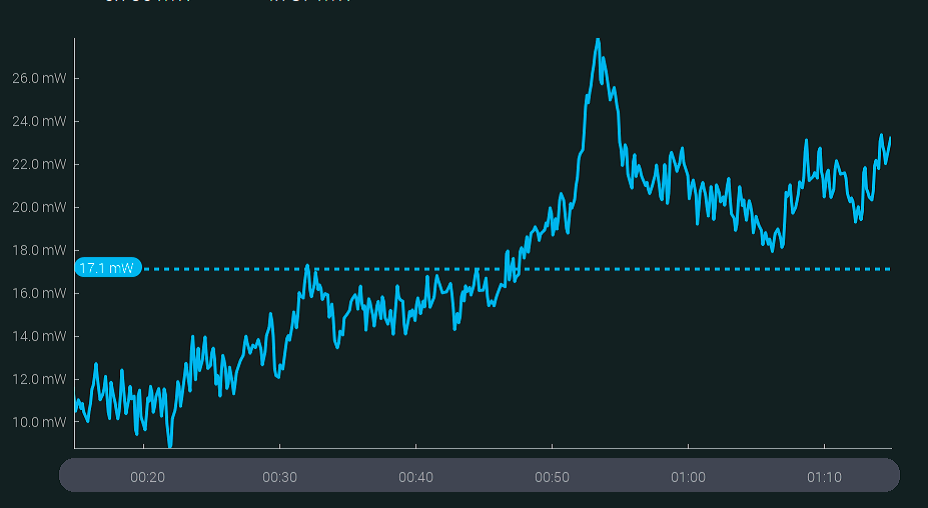
SCOPE DISPLAY

With this display mode, you can travel in time using the time line at the bottom to view measurements at any point in time while MIRO ALTITUDE continues to measure.

The dotted blue line shows the average value.

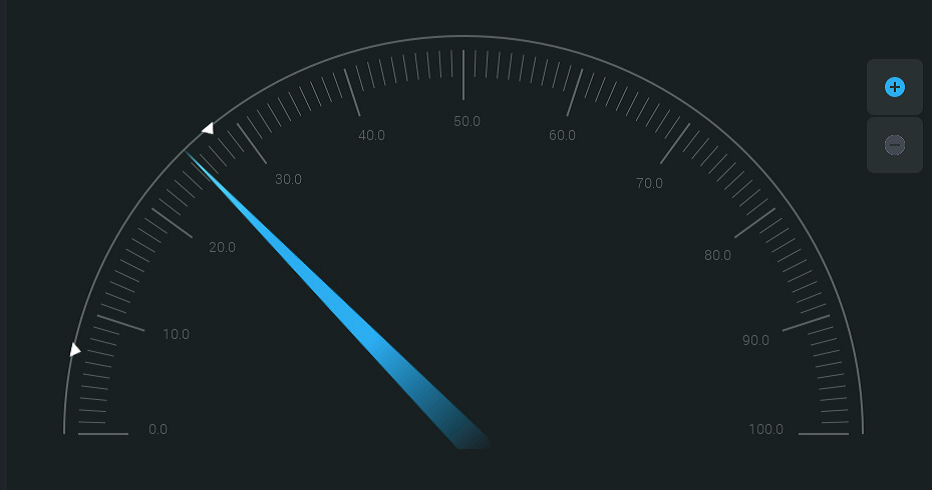
NEEDLE DISPLAY

Faster than an analog needle thanks to XNR AnticipationTM! This mode is particularly useful when tuning a laser. The real-time value and statistics are always visible at the top of the screen.

Arrows indicate the minimum and maximum measured values since the last reset. The zoom function sets these values as full scale of the digital gauge.

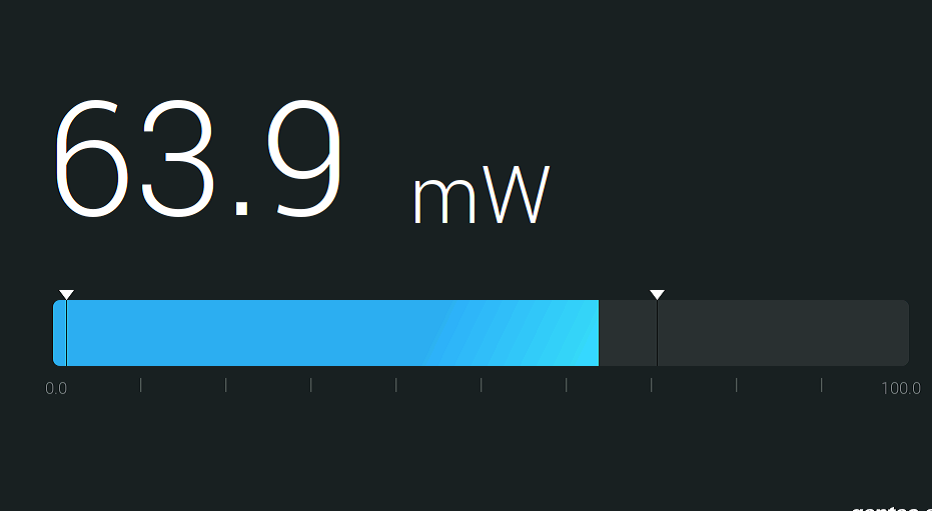
BAR DISPLAY

This is the simplest display mode. Its main advantage is that the current measured value is displayed in huge size, allowing you to read the measurement from a good distance.

Arrows indicate the minimum and maximum measured values.


BUILT-IN FILE MANAGER AND DATA VIEWER

MIRO’s built-in file manager lets you access and organize all your screenshots and recorded measurement sessions. You can also copy files on your USB key.

There is also a built-in image viewer so you can view your screenshots directly on your MIRO ALTITUDE.

Visualize a recorded measurement session with our built-in data viewer. Data will be displayed in the scope chart display.


CONTROL CENTER

The control center is accessible from all screens in the top left corner.

Connect/disconnect your Gentec-EO detector to MIRO ALTITUDE

Easily navigate between the main screens of the app:

Display

File manager

Settings for the device.


包括 NIST 可追溯校准

可追溯校准可将激光输出测量的读数追溯到美国国家标准与技术研究院(NIST)确定的已知国际测量标准。这确保了仪器测量的可靠性和准确性。

其优势包括:

  • 对组织内外其他仪器的测量结果进行有效比较,并对不同时间的测量结果进行比较
  • 符合法规或行业标准
  • 避免在运行中出现代价高昂的测量错误
  • 增强客户对激光系统的信心
  • 确保实验室实验的有效性
  • 利用我们提供的校准证书,轻松证明测量的准确性


了解更多

Compatible products you may need

Check if this product works for your laser

Measurement type:

1

Beam size

2

Laser type

3

Beam profile

COPYRIGHT ©2026 Gentec-eo Spektrum média